
Collections
Collections hold folders and requests (REST and GraphQL), plus collection-level variables, auth (inherited by requests set to Inherit), and pre-request and test scripts.
Every saved request belongs to a collection, whatever its kind. A collection's gRPC calls and WebSocket / Socket.IO / MQTT / Kafka connections are kept in the workspace library (library/grpc.json, library/websocket.json, each item with the collectionId of its collection) and shown under the collection's gRPC and WebSocket & MQTT categories. Saving a new one asks for its collection and folder, in the same Save dialog as a REST request (with New for a new collection); the app's lib.save refuses one without a collection. Deleting a collection moves its gRPC calls and connections to Recently deleted with it (hidden until it is restored); emptying the trash, or 30 days later, deletes them for good. Unsaved tabs still send and connect without saving.
Workspaces from older versions could hold gRPC calls and connections outside a collection. Opening such a workspace moves them in once: grouped by their folder, into a collection named after the folder (an existing collection with exactly that name, or a new one), and those without a folder into gRPC calls or Connections. Settings ▸ Workspace lists it under the migrations applied on open; scripts call adoptLooseRequests(store) from @testpion/core.
Each collection is a versioned JSON file under collections/ in the workspace, and its version increments on every save. Commit it to git for review and history.
Overview
A collection's Overview tab shows it at a glance: how many requests and folders it has, how many have checks (assertions or a test script), how many REST requests are documented, and how many are failing now (their latest response failed its checks, or, without checks, had an error status). By method counts the requests per HTTP method. Request health lists the requests sent from the app with their latest status, median response time (of the latest 50), how many of their responses failed and when they were last sent: failing requests first, then the slowest, each with its latest results as a strip. The chips above it switch to the requests Not sent yet or Without checks, with their counts (long lists show 100 at a time, Show all the rest). When nothing has been sent yet, it says so once and offers Run the collection. Click a request to open it. Where the time went adds up the DNS lookup, TCP connect, TLS handshake, server wait and download of the responses sent from the app (also the collection_timing MCP tool).
Recent runs shows the pass / fail of the collection's latest runs (Collection Runner and run-collection) with a link to the last one. Variable flow shows how requests chain: each variable a script sets (tp.environment.set, tp.collectionVariables.set …), which request or collection / folder script sets it and how many requests use it ({{name}} or a script get), in run order. It flags variables used before they are set (a request uses one before any earlier script sets it and no environment defines it), never set and set, never used. The variable_flow MCP tool returns the same.
For scripts and agents: testpion requests "My API" --health --json in the CLI and the collection_health MCP tool return the same numbers.
Favorites
To keep frequently used endpoints close at hand, choose Add to favorites from a REST or GraphQL request's ⋯ menu (or right-click). The request gets a star in the tree and appears in the Favorites section at the top of the explorer, with its collection's name; click it to open it, or use its menu to remove it. Favorites are stored with the request in the collection JSON.
To open or fold a whole collection, folder or section at once, use Expand all / Collapse all in its ⋯ menu (or * on the focused row): every container has them, from a collection and its protocol groups to the folders of MCP servers, API definitions and datasets, and the explorer's Collapse all button folds everything. Which ones are open is kept per workspace.
Request menu
Right-click a request in the tree, or click its ⋯ button:
| Item | What it does |
|---|---|
| Open / Open in new tab | Open the request (in its tab, or a tab of its own). |
| Copy link | Its testpion://open link (paste it in a chat or a ticket: it opens the request in the app). |
| Copy as ▸ | Copy URL (with {{variables}} resolved from the active environment), cURL (bash), cURL (cmd), PowerShell, fetch: a runnable command or code, like the browser's Copy as …, with variables resolved and inherited auth applied (fetch code also runs in Node.js 18+); More code snippets… opens the code generator (Python requests and httpx, Go, Java, Kotlin, C#, Dart, HTTPie and more). |
| Monitor on a schedule… | A monitor that runs this request on a schedule. |
| Save as test… | The request as a test file in Tests, to run with the test runner and in CI (also testpion test from-request "Collection/Folder/Request"). |
| History in git… | The request's versions in git (when the workspace is in git). |
| Rename, Duplicate, Add to favorites | Manage the request. |
| Move to… | Move it to another folder, or to a folder of another collection. Open tabs follow it. You can also drag it: onto a request to place it before that one, onto a folder to put it inside, or onto a collection's name for its top level. |
| Delete… | Delete the request at once (also Delete on a focused row). The message that follows has Undo for 8 seconds, and Ctrl+Z outside a text field does the same: the request comes back with its id, in its place (Deleting and Undo). |
Copied commands include the request's real header and token values, so they run as they are, like Postman's Copy as cURL. When they do, the confirmation message says so.
Folders have their own menu (New HTTP request, New folder, Expand all / Collapse all, Run folder, Copy link, Monitor on a schedule…, Run in CI…, Create test file from folder…, Generate integration flow with AI…, Edit folder (scripts, variables, auth), Rename, Duplicate, Move to…, Delete…), and so do collections: New HTTP request and New request ▸ (GraphQL, SOAP, gRPC, WebSocket & MQTT), New folder, Expand all / Collapse all, Run collection, Copy link, Export ▸ (the export dialog, or For Postman (pm.*)…: the scripts rewritten with Postman's pm.*), Monitor on a schedule…, Run in CI…, Create test file from collection…, Generate integration flow with AI…, Settings, runner & docs, Convert scripts to tp.*, History in git…, Rename, Duplicate and Delete… (also Delete on the focused row). Every menu of every tree and list lists its items in the same order: create · open · tree · run · share · tools · git · edit · danger (Menus).
A saved gRPC call or connection has the same groups: Open, Open in new tab, Copy link, Copy as grpcurl (or Copy URL), Save as test…, Rename, Duplicate, Move to collection ▸ and Delete…; drag it onto another collection to move it there. Its folder has Expand all / Collapse all, Rename folder and Delete folder… (its calls move to the top level, with Undo).
Tidy up
Tools ▸ Tidy up… in a collection's header finds what piles up in big or imported collections:
- Duplicate requests: the same method, URL and body (query parameter order and spacing don't matter).
- Hosts typed into URLs:
http://localhost:5002/…instead of{{bannerManagementBaseUrl}}/…. Use a variable… opens Replace with the host filled in. - Empty folders, and unused variables (collection variables no request or script reads).
- The same Authorization header on many requests (common in Postman imports): Set it as the collection auth makes it the collection's auth once (a bearer token, or the header as it is) and those requests inherit it.
Tick the fixes to make (remove the copies of duplicates, keeping the first; remove empty folders; remove unused variables) and Remove what is ticked; Undo in the message puts the collection back. From the terminal, testpion tidy "Master Collections" lists them and --remove-duplicates, --remove-empty-folders, --remove-unused-variables and --use-collection-auth fix them; agents use collection_tidy.
Find and replace
Tools ▸ Find and replace… in a collection's header changes text across its requests at once: a host that moved, a header that was renamed, a value that should become a {{variable}}.
- Type what to Find and what to Replace with. Every change appears below as you type: the request, where (the URL, a header, a parameter, the body, an auth field, a script or the name), and the text before and after.
- Narrow it with Match case, Regular expression (
$1… for groups) and the Look in chips. - Replace saves the changes; Undo in the message puts the collection back.
From the terminal, testpion replace "Master Collections" "http://localhost:5002" "{{bannerManagementBaseUrl}}" --in url shows the changes and --apply saves them; agents use replace_in_collection.
Import
Import accepts:
- OpenAPI 3 / Swagger 2 (JSON or YAML). Tags become folders, parameters and example bodies are generated, security schemes map to auth, and each documented response becomes a saved example (so the collection can be mocked right away). The document is kept in the workspace's
specs/folder and every request gets a Matches OpenAPI contract check, so running the collection tests the API against its own contract (testpion import --no-contract-checksleaves the checks out). A document whose namespecs/already holds with different content is kept beside it (specs/petstore-2.openapi.yaml), never written over: the message says Saved as … with Replace instead, which puts the new document in the old one's place (the old one goes to Recently deleted);testpion import --replace-specreplaces at once. The same document imported again is not copied. AsyncAPI documents are kept the same way. - Postman v2.1 collections (including scripts, request descriptions and saved responses, which become examples) and environments.
- Insomnia exports (the v4 JSON export and v5 YAML files). Environments come over too: the base environment is merged into each sub-environment. From a v4 export, gRPC requests (with their
.protofiles) and WebSocket requests come over as the collection's gRPC calls and connections. - Bruno collections: the collection folder itself (Bruno folder…, the folder with
bruno.jsonand the.brufiles you keep in git), a single.brurequest file, or a JSON export (Export collection). See Bruno below. - Hoppscotch collections (JSON).
- WSDL 1.1 and 2.0 documents of SOAP services (a file, or a
?wsdllink). See SOAP below. - AsyncAPI 2 and 3 documents of event-driven APIs (Kafka, MQTT, WebSocket, Socket.IO). See AsyncAPI below.
.http/.restfiles of VS Code's REST Client and the JetBrains HTTP Client. See .http files below.- HAR files.
- GraphQL schema files (SDL,
.graphqlor.gql; Choose file… offers them): a GraphQL request for{{graphqlUrl}}with an operation for the first Query field; the schema is kept inspecs/graphql/. - TestPion collections and workspace exports.
- A single request copied as cURL (bash or cmd), fetch or PowerShell. It is saved to the Imported collection, named after its method and path. Secrets in it (tokens, API keys, cookies, passwords) are replaced by
{{variables}}, and a message lists the ones to add as secret environment variables. To just try the request without saving it, paste it into the HTTP editor instead (see paste a request).
From Insomnia, Bruno and Hoppscotch, TestPion takes folders, requests, bodies, headers, parameters, auth and variables. {{ _.name }}, {{ _['a-b'] }} and <<name>> become {{name}}. Insomnia's pre-request and after-response scripts run (v4 and v5 files, request and folder scripts): its insomnia.* script API follows Postman's, so insomnia.test, insomnia.expect, insomnia.environment and insomnia.response become their tp.* twins, and a plain JavaScript script stays as it is. Insomnia template tags become dynamic variables, pre-request lines or chained variables ({% response %}). Bruno scripts and tests run, written with tp.* (req, res and test as in Bruno). An auth scheme TestPion doesn't have becomes No auth with a disabled X-Imported-Auth-… header, never the folder's auth. What each importer maps and what becomes a note: Import fidelity. Hoppscotch scripts use their own API (pw.*), so they come over as comments to rewrite with tp.*. An imported environment never replaces one you already have: a name that's taken gets (imported) added.
Check after import. Whatever did not map one to one is listed after every import, naming the request or folder: an auth scheme TestPion doesn't have, a template tag left as text, a script call TestPion lacks, a secret value to enter again. The message says Check after import (N notes) with the first ones (and N more); testpion import prints up to 20 and --json lists them all in notes, as does the MCP tool import_definition. What each importer maps: Import fidelity.
If a Postman collection's scripts use something TestPion's script sandbox doesn't have (a tp.require package the workspace doesn't have yet, or a require() of a module the sandbox doesn't have: it has ajv, atob, btoa, chai, cheerio, crypto-js, csv-parse, lodash, moment, tv4, uuid and xml2js), the import says which requests and what to use instead (scriptWarnings in testpion import --json and the MCP tool).
A Postman import keeps collection-level and request scripts, path variables, OAuth 2.0 settings, GraphQL bodies (as GraphQL requests), descriptions and saved responses.
Scripts come over as tp.*. Postman's pm.* (and Insomnia's insomnia.*) in collection, folder and request scripts is rewritten to TestPion's tp.*; text in strings and comments is left alone. The import says how many scripts were converted, and lists any it left as they were (a script that declares its own pm variable, for example): those still run, because pm.* works as an alias of tp.*. For a collection you also keep using in Postman, tick Keep pm.* in scripts (for collections you also use in Postman) in the Import dialog (testpion import --keep-pm, keep_pm: true for the MCP tool import_definition). Exporting to Postman turns tp.* back into pm.*, so a round trip gives the original scripts.
SOAP (WSDL)
A WSDL 1.1 or 2.0 document becomes a collection of SOAP requests, one folder per SOAP port or endpoint (SOAP 1.1 and SOAP 1.2 are both kept; WSDL 2.0 endpoints are SOAP 1.2 unless the binding says wsoap:version="1.1", operations inherited through extends are included, and HTTP bindings are skipped; with a single port there is no folder level). Each operation is a POST to {{baseUrl}} (the service address, set as a collection variable) with:
- the right headers:
Content-Type: text/xmlandSOAPActionfor SOAP 1.1,Content-Type: application/soap+xml; action=…for SOAP 1.2; - a sample envelope built from the XML Schema in the WSDL's
<types>: every element of the input message with a placeholder value (?for text,0for numbers,false, the first value of an enumeration, dates), including the fields of base types (extension), with document/literal and RPC styles; - a status 200 check (a SOAP Fault comes back as 500 in SOAP 1.1).
Replace the placeholders and send. The response is XML: xml2Json(tp.response.text()) turns it into an object for tests. Schemas and WSDLs it imports (xsd:import, xsd:include, wsdl:import, like the ?xsd=xsd0 and ?wsdl=wsdl0 documents of JAX-WS and WCF services) are fetched from the same site for a link, or read from next to the file for a file.
To try it, run the demo servers and import the link http://127.0.0.1:4010/soap/patients?wsdl (GetPatient with id 1 or 2, RegisterPatient).
.http files
A .http or .rest file becomes a collection named after the file, one request per ### block:
@name = valuelines become collection variables, and{{name}}works as everywhere in TestPion.### Titleor# @name loginnames a request; query lines that continue the URL on the next lines are joined.Authorization: Basic user passwordbecomes basic auth andAuthorization: Bearer …bearer auth; other headers stay as they are.- Form bodies become form fields, JSON and XML bodies stay as written, and
< ./file.jsonis a body from a file (check the path after importing). - REST Client chaining works: a named request that another one reads (
{{login.response.body.$.access_token}},{{login.response.headers.X-Token}}) keeps its response for it, so the token flows to the next request when the collection runs. - JetBrains response handlers (
> {% … %}) become the request's test script and pre-request scripts (< {% … %}) its pre-request script. They run as written:client.test,client.assert,client.global.set,response.body,response.statusandrequest.variables.setmap totp.*. A handler kept in a separate.jsfile isn't imported, and the import says so.
Export ▸ .http file writes a collection back as one file for those tools: folders become the request titles, collection variables @name = value lines, and bearer, basic and header API key auth (inherited from a folder or the collection too) an Authorization or key header. Scripts and non-HTTP requests are left out, and a message lists them.
AsyncAPI
An AsyncAPI document becomes a collection of realtime connections, one per channel, in folders by the operations' first tag:
- Servers become an environment named after the API, such as Clinic events servers, with a variable per server (
{{productionUrl}}=kafkas://broker.example.com:9093). The connections use the channel's server, or the first one. - Kafka: the channel's address is the topic to produce to, with the first message's example payload, its key (from the Kafka binding) and its headers. When the application sends on the channel, the topic is also read on connect.
- MQTT: the topic to publish to, with the channel's QoS; when the application sends on it, the topic filter is subscribed on connect (
{parameters}become+). - WebSocket: the channel's address is a path on the server; Socket.IO: it is the event.
- Every message a channel carries is kept as a saved message to send again, built from its first example or its schema.
{parameters}in addresses become{{variables}}.
Who sends what follows the document: in AsyncAPI 2, publish is what the application receives (TestPion sends it) and subscribe what it sends (TestPion reads it); in AsyncAPI 3, action: send and receive say the same. Channels on other protocols (AMQP, NATS …) are listed in the collection's description as not imported.
The document is kept in specs/asyncapi/ and listed under API definitions (marked ASYNC): its Preview shows the servers and each channel, whether the API publishes or consumes there, and its messages with payloads and examples, with Generate tests. It is also used by the asyncapi check and for testpion tests-from-spec, which writes a realtime test per channel.
Export ▸ AsyncAPI 3.0 goes the other way: a collection's connections become an AsyncAPI document, with a server per broker or server URL (a URL kept in a {{variable}} becomes a server variable), a channel per topic, event or path, the saved messages as examples with a schema inferred from them, and what each connection sends or reads as operations. From the terminal: testpion export "Clinic events" -f asyncapi -o events.asyncapi.yaml.
Bruno
A Bruno collection comes over with its folders (in Bruno's order), requests, query and path parameters, bodies, auth, headers (disabled ones stay disabled; collection and folder headers are added to their requests), collection variables, docs and the environments in environments/. Secret variables arrive empty: set them again as secrets (the import lists them as values needed). The collection's .env is read too: {{process.env.X}} becomes {{X}}, a secret variable of a Bruno .env environment and of each imported one, with its value in the secret store.
Bruno scripts run: their bru.* calls are written with TestPion's tp.* (bru.setVar() → tp.collectionVariables.set(), bru.getEnvVar() → tp.environment.get() …), and req.setHeader(), res.getBody(), res('path'), test() and expect() work as in Bruno. A bru.* call TestPion doesn't have gets a // TODO(import) line and a note. Collection and folder scripts become collection and folder scripts. The no-code parts are converted too:
- Assertions (
res.status: eq 200,res.body.id: isNumber,res.headers['content-type']: contains json…) become tests with the same names; a plain status check becomes a status check. - vars:post-response (
token: res.body.token) sets the variable from the response for the requests after it, and vars:pre-request sets request variables.
From the terminal, give the folder: testpion import ./my-bruno-collection -w my-workspace.
The other way works too: Export ▸ Bruno collection folder… (or testpion export "My API" --format bruno --out ./bruno/my-api) writes the collection as a Bruno folder, with the workspace's environments (secret variables by name only). Status and JSONPath equals / exists checks become Bruno assertions; scripts that came from Bruno go back with Bruno's bru.*, and TestPion (tp.*) scripts are marked, since Bruno runs its own script API.
Import… in the workspace menu (top bar) accepts the same files. A TestPion workspace export opens as a new workspace, and anything else (a Postman, Insomnia, Bruno or Hoppscotch file, OpenAPI, HAR) is added to the open workspace.
From a link: paste a URL in the Import dialog's link box and press Import link: an OpenAPI URL (https://petstore3.swagger.io/api/v3/openapi.json), a file on GitHub, GitLab or Bitbucket (the file page is fine, TestPion downloads the raw file), or a Postman collection's API link. Links must be public http(s) URLs of at most 20 MB; for a private file, download it and import the file.
The CLI can import too, from a file or a link: testpion import openapi.yaml -w my-workspace, testpion import https://petstore3.swagger.io/api/v3/openapi.json -w my-workspace.
Export
Export in a collection's toolbar offers these formats (and .http file, described above):
- TestPion collection (.json): the collection file as it is stored in the workspace.
- OpenAPI 3.1 (.yaml): a description of the collection's HTTP requests for API documentation tools, code generators or a spec review: paths and methods (
{{id}}and:idsegments become path parameters), query and header parameters, request bodies with an example and an inferred schema, saved examples as documented responses, folders as tags and the auth in use as security schemes. Parameter values that hold{{variables}}are left out. GraphQL requests are not included. From the terminal:testpion export "My API" --format openapi -o openapi.yaml. - Postman collection v2.1: for Postman, Newman or any tool that reads Postman collections. It includes folders, requests, params and path variables, headers, bodies (raw, form, multipart, file, GraphQL), auth (bearer, basic, API key, OAuth 1.0, OAuth 2.0, AWS Signature, Digest), collection and request scripts, collection variables, descriptions, saved examples and the follow redirects / TLS verification settings.
Postman has no place for some TestPion features. When they are left out, a message lists them:
- Assertions: a
statuscheck becomes atp.test(...)in the request's test script, and other assertion types are skipped. - JWT auth and the per-request Cookies table (its cookies are sent as a
Cookieheader instead).
Importing an exported file back into TestPion gives the same collection, and the round trip is tested. A collection exported in TestPion's format also carries its gRPC calls and WebSocket / Socket.IO / MQTT connections (savedItems); importing the file puts them back in the imported collection (an id the workspace already uses gets a new one, so nothing is replaced). Postman's format has no place for them, so a Postman export says how many it left out. Environments → Export writes an environment in Postman's environment format. Secret variables are exported with an empty value and type secret, because their values stay in your OS credential store.
From the CLI:
testpion export "Veterinary API" -o vet.postman_collection.json          # Postman v2.1 (default)
testpion export "Veterinary API" -f testpion -o vet.collection.json
testpion export-environment Staging -o staging.postman_environment.json
Export the whole workspace
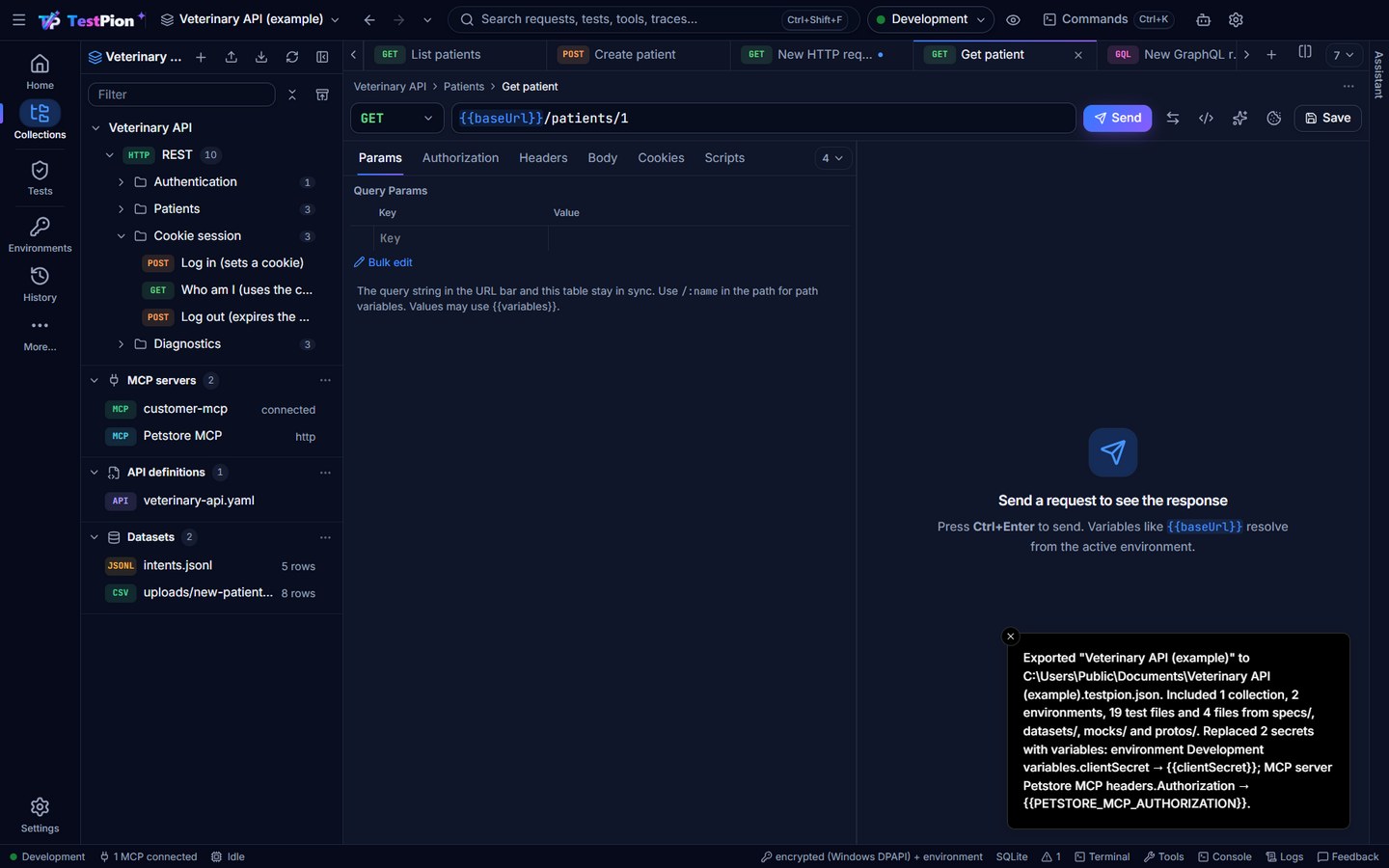
Export ▸ The whole workspace (also in the workspace switcher and the app menu) writes one file, <workspace name>.testpion.json, that Import opens as a new workspace on another computer:
- What it holds: every collection, environment, test file, saved item (gRPC calls, connections, prompts …), MCP server, provider and script package, the workspace variables, and the files of
specs/,datasets/,mocks/andprotos/. Text files are kept as text, others (a SQLite dataset) as base64; they come back byte for byte. - What it leaves out: run results, history, traces and Recently deleted; and any file over 10 MB, or past 50 MB in all. A file left out is named in the message (and in
noteswith--json), never dropped silently: copy it by hand. - Secrets: an export never holds a secret value. Secret variables are exported empty, and so is a variable that has a secret name or value but isn't marked secret (it is marked secret in the export). A typed-in secret becomes a
{{variable}}: an auth token or password, a header with a secret name or a secret-shaped value, an MCP server's header orenvvalue (every one, except names that never hold a secret such asContent-TypeorNODE_ENV), a password in a connection string (postgres://app:{{dbPassword}}@db/clinic), a provider key. Request bodies are not changed. The message after export lists each replacement; on import, the message lists the values needed. Set them as secret variables of an environment. See Privacy: exports.
testpion workspace export "Veterinary API"                 # writes "Veterinary API.testpion.json"
testpion workspace export "Veterinary API" -o vet.testpion.json --json   # { path, collections, environments, tests, files, replaced: [{ kind, item, field, variable }], notes, lines }
Exports of earlier versions (.apsworkspace.json) still import.
Examples
An example is a saved response of a request, like Postman's examples. Examples show what an endpoint returns without sending the request, for instance a success and an error case. A mock server serves them over HTTP.
- Save a response: send a saved request, then click Save as example above the response and give it a name. The request must be in a collection. A new request opens the Save dialog first.
- Browse: in the request tree, the chevron before a request lists its examples. The request's Examples tab lists them with their status. Select one to see its headers and body. Rename or delete it with the buttons at the top.
- Safe to commit: examples are stored in the collection file, so sensitive data is masked when you save one.
Set-Cookie,Authorizationand token headers becomeREDACTED, and so do sensitive JSON fields (access_token,password…) and known secret values. Headers that only describe one transfer (Date,Content-Length…) are dropped. Bodies over 512 KB and truncated previews can't be saved as examples. - Examples are saved to the collection straight away and don't mark the request as changed. Saving the request keeps its examples.
In the collection file an example looks like this:
{
  "id": "ex-patient-missing",
  "name": "Patient not found",
  "status": 404,
  "statusText": "Not Found",
  "headers": [{ "key": "content-type", "value": "application/json" }],
  "body": "{ \"error\": \"not_found\" }",
  "request": { "method": "GET", "url": "{{baseUrl}}/patients/999" }
}
request is optional. It records the request that produced the response when that differs from the saved request.
Documentation
Collections document themselves, like Postman's API documentation:
- Request docs: each request has a Docs tab. Write Markdown on the left and see the preview on the right. The text is saved with the request.
- Collection docs: the collection's Docs tab renders the whole collection as one page. It starts with the collection description, then a table of contents, then every folder and request: method and URL, description, auth, path variables, query parameters, headers, body and saved examples. Click Edit description to write the collection description, with a live preview. Click Save to keep it.
- Secrets stay out: values of sensitive headers, parameters, variables and body fields are shown as
••••••orREDACTED. References like{{accessToken}}are shown as written, since they are not secrets. - Export Markdown downloads the page as a
.mdfile, ready for a wiki, a README or a static site. The CLI does the same:testpion docs "Veterinary API" -o API.md. - Export HTML saves one self-contained web page, like Postman's published documentation. It has a sidebar of requests with search, copy buttons on code, and light and dark themes. It loads nothing from the internet, so you can host it anywhere (GitHub Pages, an intranet, a shared drive) or email it. HTML in descriptions is shown as text and never runs, and secrets are masked. From the terminal:
testpion docs "Veterinary API" --html -o api.html.
Markdown is rendered with GitHub-flavoured syntax (tables, fenced code, task lists) and sanitised: scripts and event handlers are removed, and links open in your browser.
Folders
Choose Edit folder in a folder's ⋯ menu to set up everything its requests share:
- Scripts: a pre-request and a post-response script that run for every request in the folder, including requests in sub-folders. The order is: collection script, outer folders' scripts, this folder's script, then the request's own script. It is the same for sending from a tab, the Collection Runner and
testpion run-collection. - Variables: visible to the requests inside. An inner folder's value wins over an outer folder's. Request variables and iteration data rows win over folder variables, and folder variables win over collection and environment variables.
- Authorization: requests set to Inherit use the nearest folder's auth, or the collection's.
Folders with scripts or variables show a dot in the tree. Folder scripts and variables are exported to and imported from Postman v2.1 (event and variable on folders).
Collection Runner
The Collection Runner works like Postman's. It runs a whole collection or one folder, one request at a time and in order. Open it from the Run tab or button of a collection, or choose Run collection or Run folder in the ⋯ menu of the request tree.
| Setting | What it does |
|---|---|
| Run | The whole collection or a single folder |
| Requests | Tick the requests to include (all by default). In a long list, the filter narrows it by name, folder or method, and Select all / Deselect all act on what it shows. Only GET ticks just the requests that read (GET, HEAD): a smoke run that changes nothing. From the terminal: testpion run-collection "My API" --method GET |
| Environment | Variables used for the run: the same picker as the top bar's. The run's results show it as a badge (PRODUCTION in red) |
| Iterations | How many times to run the requests (defaults to the number of data rows, or 1) |
| Delay | Pause between requests, in milliseconds |
| Data | A CSV or JSON file, a SQLite database with a query, or a PostgreSQL / MySQL database (Database…: its URL, {{variables}} allowed, and a query); files in the workspace's datasets/ folder are listed next to Select file (its tables are listed; click one to use it). Each row becomes one iteration. Use {{column}} in requests, or tp.iterationData.get('column') in scripts. Click the file name to preview its rows |
| Keep variable values | Values set with tp.environment.set() and similar are saved as current values after the run. Turn this off to throw them away |
| Stop on first failure | End the run when a request fails or errors |
gRPC calls and WebSocket / Socket.IO / MQTT connections saved in the collection run too, after its requests in every iteration, and they're listed (and can be unticked) with the requests. A gRPC call passes when the server answers OK (code 0), with the call's saved .proto files or its server-reflection descriptor; a connection passes when the server accepts it, and its saved message (event, or publish) is sent. A folder run includes only the folder's requests. The same applies to testpion run-collection, monitors and the run_collection MCP tool.
Variables set by a script carry over to the requests that follow. A token saved by Get access token is used by later requests that inherit bearer auth {{accessToken}}. Collection-level and folder-level scripts run before each request's own scripts.
To control the order from scripts:
// jump to a request by name or id
tp.execution.setNextRequest('List patients');
// end the current iteration
tp.execution.setNextRequest(null);
// in a pre-request script: skip this request (reported as skipped)
tp.execution.skipRequest();
postman.setNextRequest() works too. An iteration stops after 1,000 requests, so a setNextRequest loop can't run forever.
To run a collection from a terminal or CI, use testpion run-collection. It runs the same way and also accepts Postman collection and environment files, like Newman.
On an environment marked as production, the run asks once before it starts, saying how many of its requests change data ("Run Shop (14 requests, 5 change data)"); testpion run-collection needs --allow-production for those requests (Production).
Results stream into the panel on the right, with checks, errors and a trace for each request. A request's result opens the saved request. A run's ⋯ has Run in CI… and Copy CLI command (and, when it failed, Explain and fix failures with AI…: triage), and Ctrl+Shift+R runs the latest run again (From a result to its source). Earlier runs are listed under Previous runs, and every run is saved with its HTML, Markdown, JUnit and JSON reports: the down arrow at the right end of the results bar saves the HTML report, and its ▾ the JSON, JUnit, Markdown, CSV or a ZIP of them all (Save and export results). With more than one iteration, each result is prefixed with its iteration number, for example #2 Patients / List patients.